Get it out of your head.
Write a task. Capture a stray idea in Brain Dump. Find it again across every date when you’re ready.
LESS PRESSURE. MORE PERSONAL.
A happy little home for your tasks, ideas, and “I’ll get to that” moments. Your own paper notebook, with a few digital superpowers.
Find your little spaceWindows · Mac preview · Android
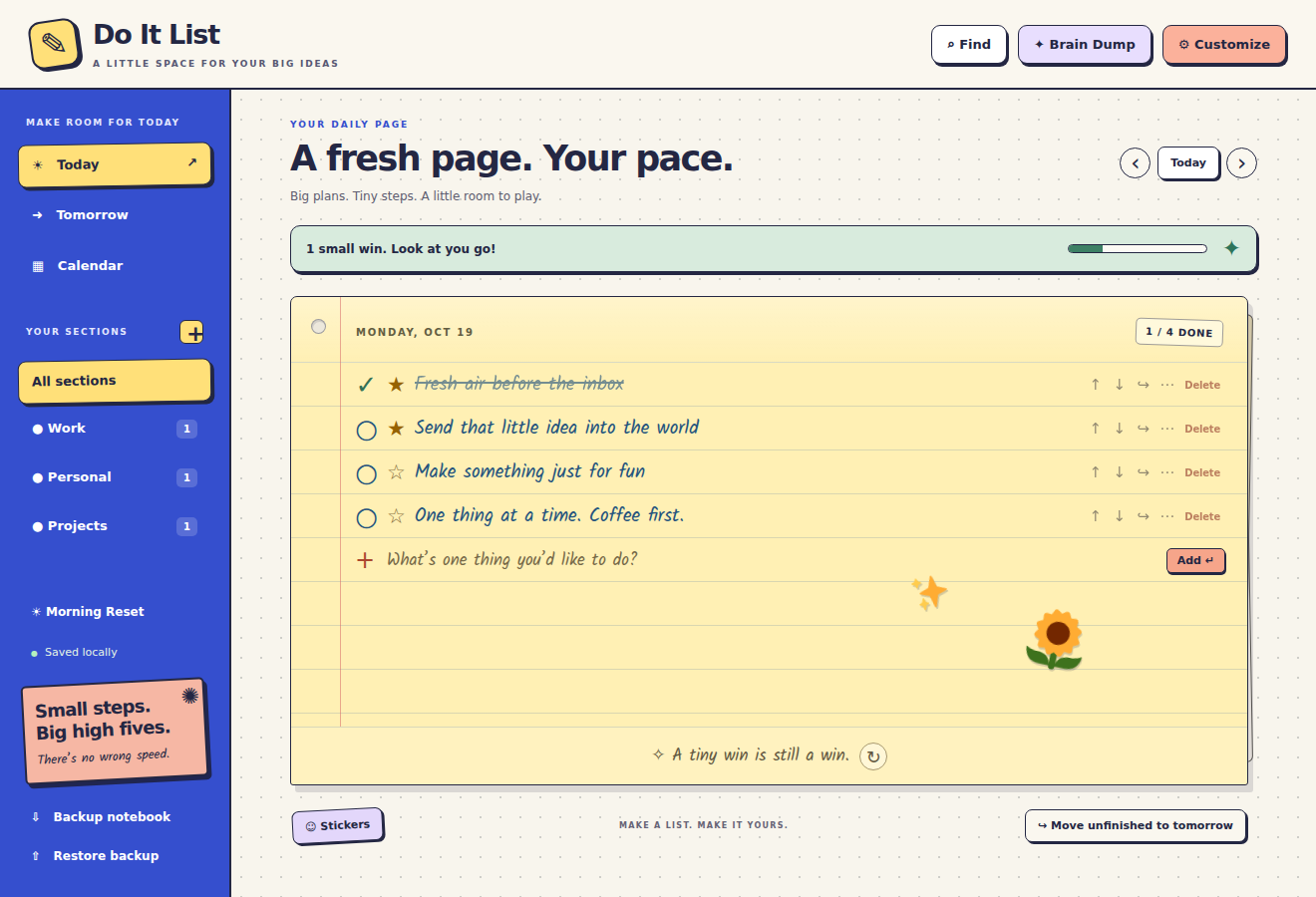
A NOTEBOOK THAT GETS YOU
Keep what matters close. Give the rest a place to land.
Write a task. Capture a stray idea in Brain Dump. Find it again across every date when you’re ready.
Daily pages, your own sections, priorities and repeating tasks. Carry unfinished work forward without losing completed history.
Check something off and enjoy a tiny celebration. Prefer a quieter notebook? Turn celebrations and motion off.
TRY A TINY WIN
Tap a circle. That’s the feeling.
A little demo. Nothing you tap here is saved.
OFFICIALLY, UNOFFICIALLY YOURS
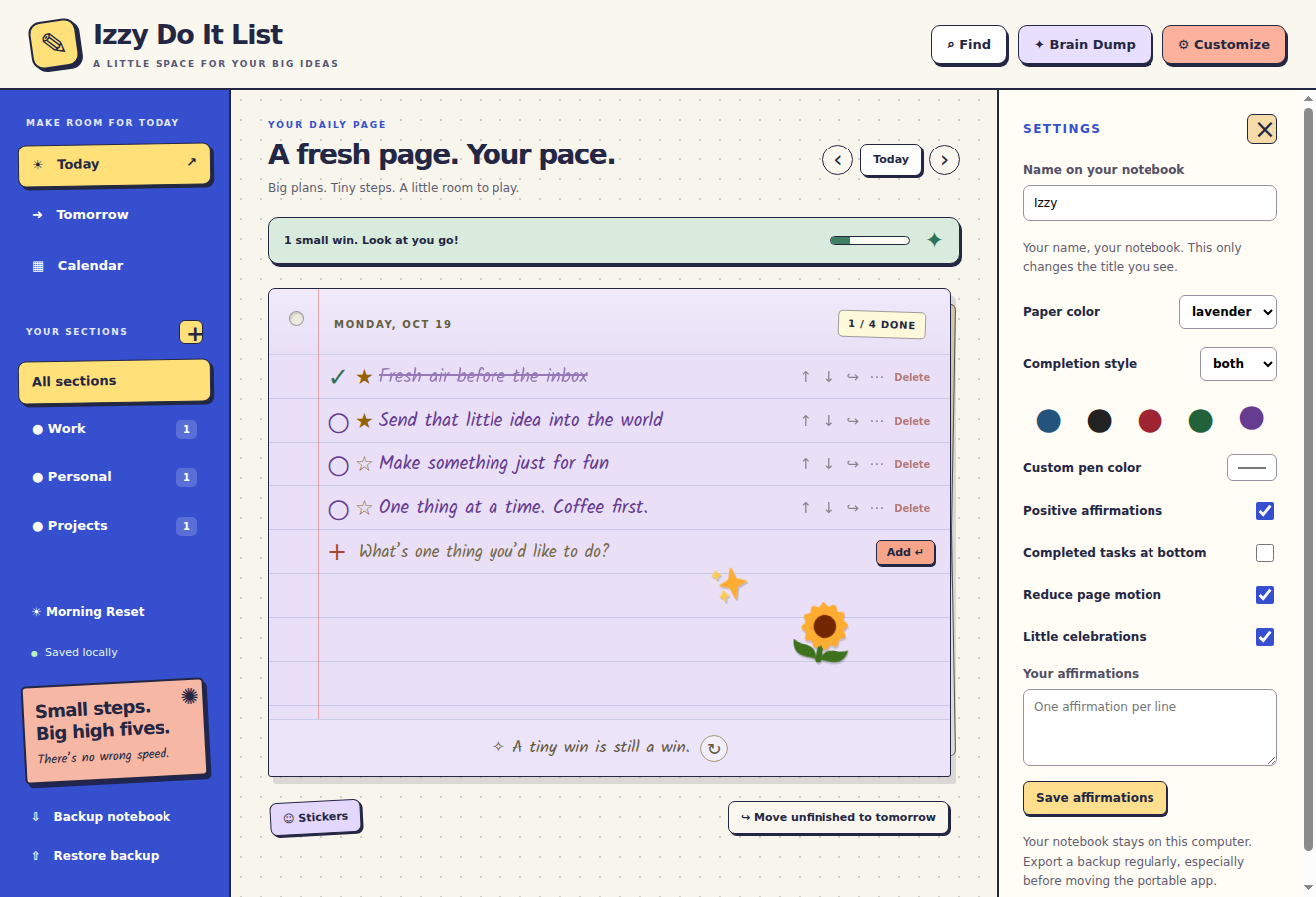
Add your name, or keep it simply Do It List. Pick your paper, choose your ink, and add a sticker just because.
Six paper colors. One very you notebook.
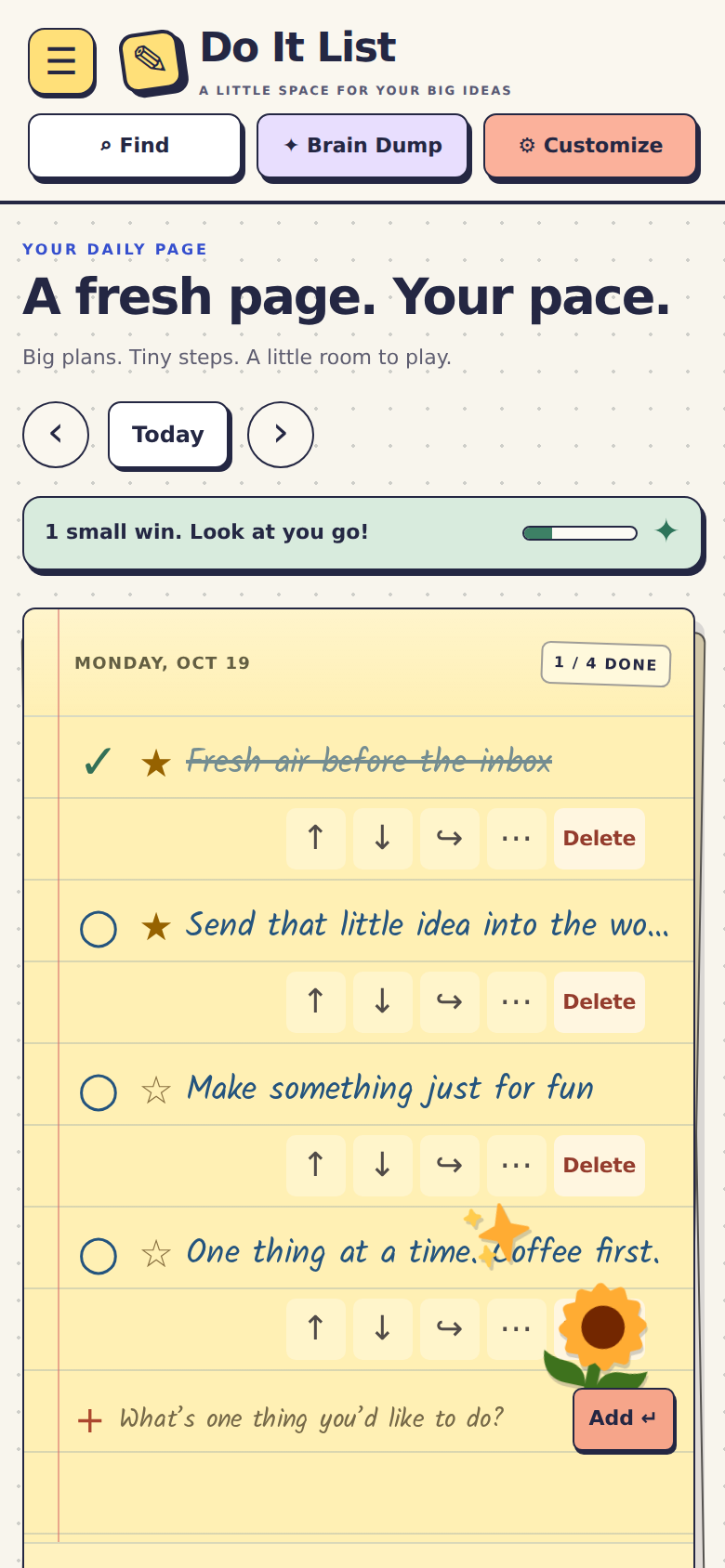
YOUR LITTLE SPACE, ON THE GO
Take the same playful notebook onto your Android phone, with larger touch controls and a menu that gets out of your way.
Each device has its own notebook. Use Backup and Restore to move it between devices. There’s no automatic cloud sync.
Find the Android downloadPhone interface shown at a mobile viewport.
KEEP YOUR THOUGHTS CLOSE
No account. No ads in the app. No telemetry. Your notebook saves on your device, and backups are yours to keep.
LET’S MAKE A LITTLE ROOM
Choose a home for your next small win.
FOR YOUR DESK
Windows 10 / 11 · 64-bit
Version 1.1.0
Unsigned installer for Windows 10 and 11. Export a backup and close the app before updating. Native Windows installer verification remains pending.
FOR YOUR MAC
macOS 13 or later
Version 1.2.0
Apple menu → About This Mac: “Chip” with an M-series name means Apple Silicon; “Processor” with Intel means Intel. These builds are not Apple Developer ID signed or notarized. Native Mac launch testing is pending.
FOR YOUR POCKET
Android 9 or later · updated WebView
Version 1.2.0
Download and open the APK on your Android phone. Android may ask you to allow installation from your browser or Files app. This is a direct download, not a Google Play listing. Physical-phone testing is pending.
Downloads stay on this page while they’re prepared. Every desktop package is checked against its SHA-256 fingerprint before it is offered to your browser.
A FEW LITTLE ANSWERS
No productivity degree required.
Yes. The app’s notebook, font, stickers and tools are bundled locally. Internet is needed to download the app, not to use the notebook.
Yes. Choose Backup notebook to save a JSON file, then Restore backup on your other device. Restore replaces that device’s current list after confirmation. There is no automatic cloud sync.
No. Completed work stays on its dated page. Morning Reset carries older unfinished work onto today when you choose it; it doesn’t erase your history.
Yes. Customize includes Reduce page motion and a separate Little celebrations switch. The app also follows your system’s reduced-motion preference.